
Key Features
Technical Specifications
| Current Version | 0.31.0 |
| Release Date | 20 November 2026 |
| License | Freeware |
| Operating System | Windows 7, 8, 8.1, 10, 11 |
Simple but powerful RSS Feed Reader
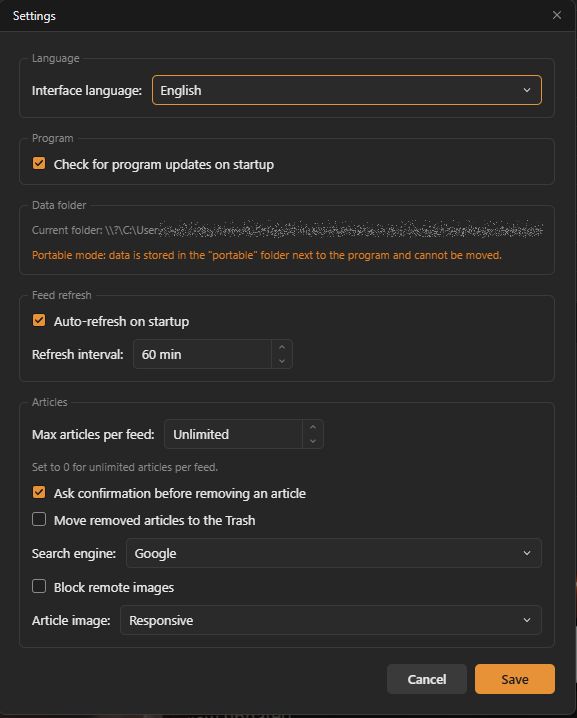
Simple doesn’t mean limited. SharkRSS doesn’t offer hundreds of customization options, but it lets you configure the ones that really matter. Choose when to check for news, whether to limit the number of articles per feed, and whether to block remote images to improve speed and privacy.
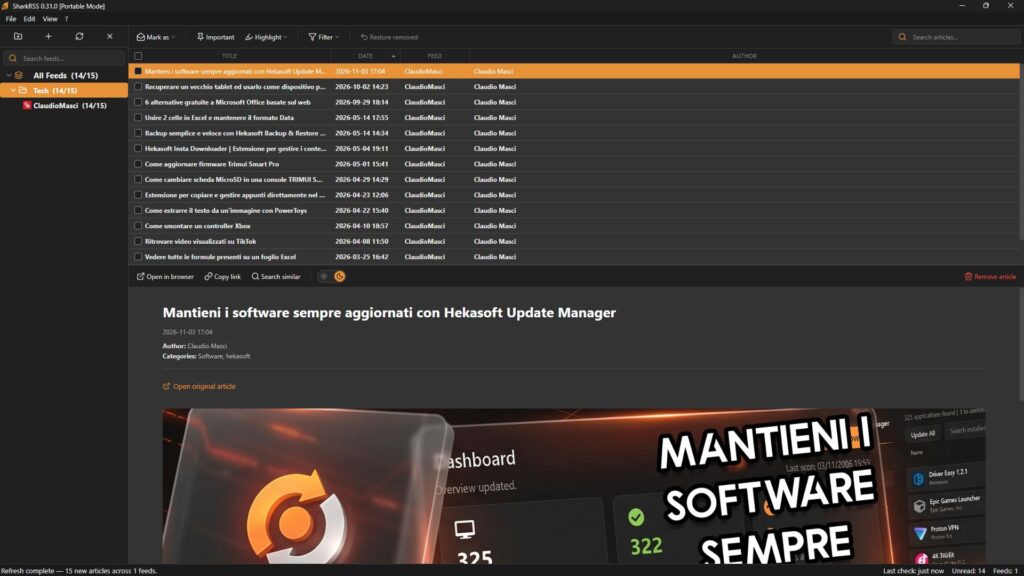
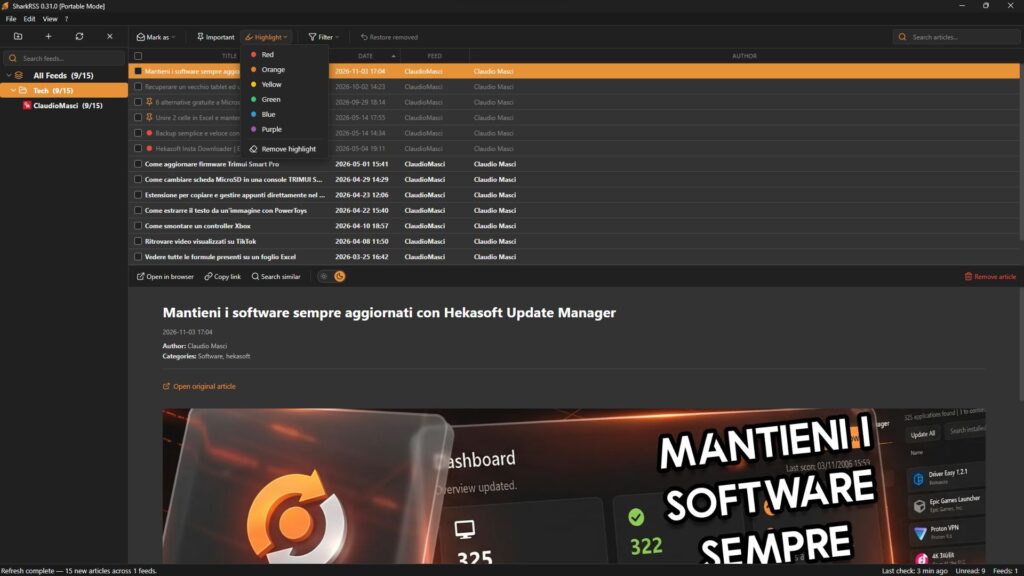
Highlight and filter articles
SharkRSS lets you highlight the articles that interest you the most. You can mark the most important articles as “important.” But that’s not all—you can also highlight articles using 6 different colors, allowing you to categorize them by color and use filters to view them.
Other features
With SharkRSS, you can enable the trash bin so that articles aren’t immediately removed, but if you don’t want to enable it, there’s a “Restore removed” button that lets you recover the last article you removed. You can also search 6 search engines for articles similar to the one you’re reading. You can also block media from loading on websites to get faster feeds and greater privacy.
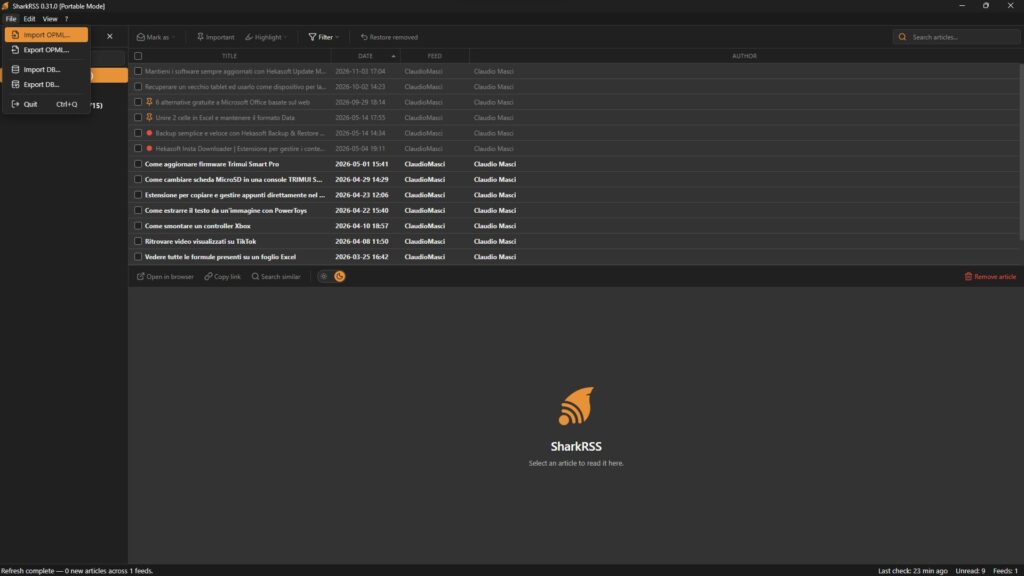
Complete Import and Export
SharkRSS lets you import and export OPML files to ensure maximum compatibility with other RSS feed readers, but that’s not all—you can also import and export the entire database. This way, you’ll not only have a list of all your feeds, but you won’t lose a single one of the articles you’ve downloaded.
Supported Languages
Chinese, English, French, German, Indonesian, Italian, Japanese, Korean, Persian, Polish, Portuguese, Russian, Spanish, Swedish, Turkish
Release Notes
Version 0.31.0 [2026/11/20]
- first public release